Best Resume Word Count for IT Jobs in 2026
By Raviraj Bhosale · Updated May 21, 2026 · 8 min read
The ideal resume word count for IT jobs in 2026 is 400 to 600 words for entry-level roles and 700 to 1,000 words for senior positions. Most IT hiring managers and ATS systems respond best to focused, keyword-rich resumes — not word-heavy ones.
If you've ever wondered whether your resume is too long, too short, or just packed with the wrong things — this guide breaks it all down with real data, not guesswork.
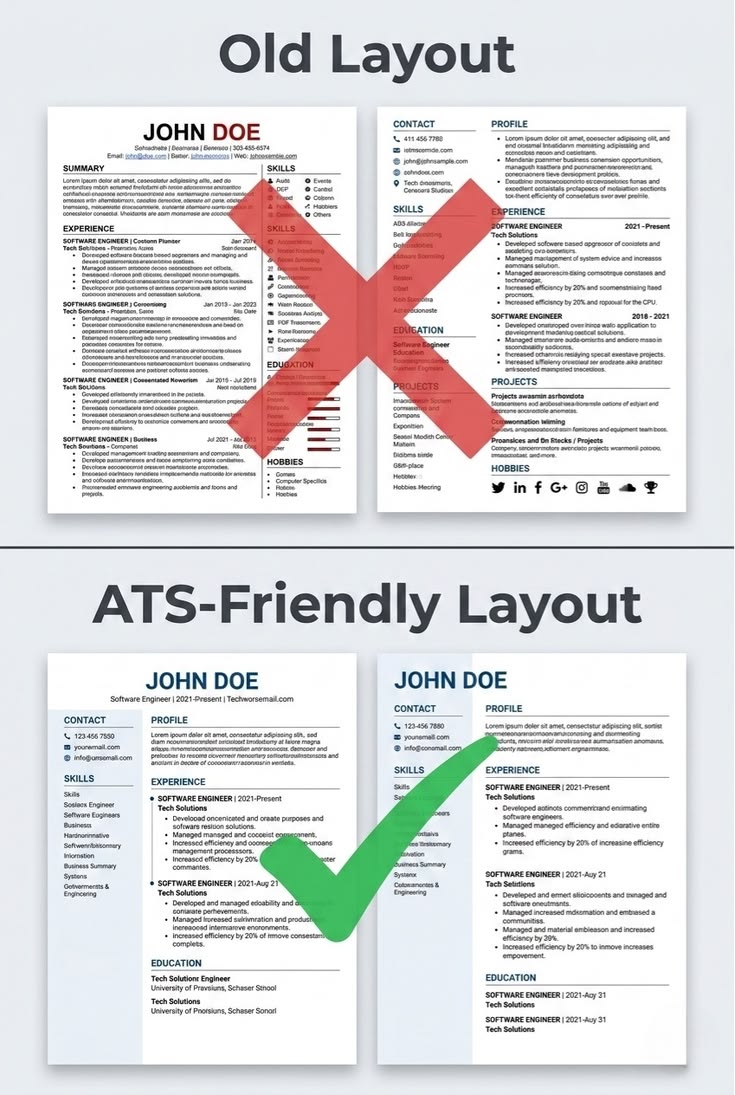
💼 Quick Reference: IT Resume Word Count by Experience
- Entry-level (0–2 years): 400–550 words · 1 page
- Mid-level (3–6 years): 550–750 words · 1–2 pages
- Senior (7–12 years): 750–1,000 words · 2 pages
- Lead / Architect / Director: 900–1,200 words · 2 pages max
- ATS-safe keyword density: 2–3% of total word count
- Recruiter first-pass scan time: ~6–7 seconds (TheLadders, 2023)
Does Resume Word Count Actually Matter for IT Jobs?
Yes — and more than most candidates think. In the IT industry, your resume goes through two filters before a human reads it: an ATS (Applicant Tracking System) and a recruiter with very little time. Both respond differently to length and density.
According to a widely cited eye-tracking study by TheLadders (2023), recruiters spend an average of just 6 to 7 seconds on the initial review of a resume. In that window, they scan for job title, company names, dates, and a few key skills. A bloated resume buries all of that.
On the ATS side, Jobscan research found that roughly 75% of resumes never reach a recruiter because ATS filters reject them first — usually due to missing keywords or poor formatting. Word count alone does not cause rejection, but low keyword density in a long resume absolutely does.
What Is the Ideal IT Resume Word Count in 2026?
There is no single universal number — but there are clear ranges by experience level. Here is what the data and industry practice actually support for IT professionals in 2026.
IT Resume Word Count by Career Stage:
- 🔵 Entry-level (0–2 years): Keep it to 400–550 words on one page. You don't have ten projects yet — and that's fine. Focus on skills, education, internships, and one or two real accomplishments.
- 🔵 Mid-level (3–6 years): 550–750 words across one to two pages. This is where you start showing impact — system performance improvements, project ownership, team contributions.
- 🔵 Senior (7–12 years): 750–1,000 words on two pages. Hiring managers at this level expect depth. They want to see architectural decisions, leadership, and measurable outcomes.
- 🔵 Lead / Architect / Director: Up to 1,200 words, never more than two pages. A third page signals poor editing — not rich experience.
The two-page ceiling is widely supported. Google's own former SVP of People Operations, Laszlo Bock, stated in his book Work Rules! that most resumes should fit one or two pages — and the longer you've worked, the more ruthless you need to be with editing.
How Does ATS Read Your IT Resume Word Count?
ATS software does not care about word count directly. It cares about keyword match rate. But word count affects keyword density — and that is where length becomes a real problem.
If you write a 1,400-word resume for a role that needs eight core skills, those keywords get diluted across a lot of filler text. A focused 650-word resume with the same eight keywords scores significantly higher on ATS match algorithms because the signal-to-noise ratio is stronger.
What ATS Scans for in an IT Resume:
- ✅ Job title match: Does your title align with the role?
- ✅ Technical skills keywords: Python, AWS, Docker, React, SQL, etc.
- ✅ Years of experience: Does your timeline match requirements?
- ✅ Education and certifications: Degree, CompTIA, AWS Certified, etc.
- ✅ Keyword density: Are required skills mentioned naturally and consistently?
Tools like Jobscan and Resume Worded let you upload your resume and compare it against a job description. They give you a keyword match score — which directly reflects how ATS will treat your application. Use them before submitting anywhere competitive.
How Many Pages Should an IT Resume Be in 2026?
One page for most people. Two pages if you genuinely need the space. Three pages almost never — unless you're applying for a research or academic position, in which case it's a CV, not a resume.
LinkedIn's 2024 hiring data showed that two-page resumes outperformed one-page resumes for senior roles (8+ years of experience), generating more recruiter callbacks on average. For junior and mid-level candidates, one page performed equally well or better.
The honest truth is that most people stretch to two pages when their content doesn't warrant it. If you're padding your resume with job duties instead of achievements, cutting to one focused page will almost always improve your results.
What Should IT Professionals Include (And Cut)?
Every section of your resume takes up word count. Knowing what earns its place — and what doesn't — is the difference between a tight, impactful resume and a bloated one that recruiters skip.
✅ Keep These in Your IT Resume:
- 📌 Technical skills section: List relevant languages, tools, platforms, and frameworks. Be specific — "JavaScript (React, Node.js)" beats just "JavaScript."
- 📌 Quantified achievements: "Reduced API response time by 40%" is worth ten bullet points about duties.
- 📌 Relevant certifications: AWS, Google Cloud, Azure, PMP, CompTIA — these carry real weight in IT hiring.
- 📌 Projects with real outcomes: Open source contributions, production deployments, systems you built or owned.
- 📌 Education (if relevant or recent): CS degree, bootcamp, or relevant coursework.
❌ Cut These from Your IT Resume:
- 🚫 "References available upon request" — This phrase wastes a line. Everyone knows this. Remove it.
- 🚫 An objective statement — Replace it with a 2-line professional summary focused on value you deliver, not what you want.
- 🚫 Every job you've ever had — Roles older than 10–12 years are rarely relevant. Cut or summarize them.
- 🚫 Generic soft skills — "Team player," "hard working," and "good communicator" tell a recruiter nothing. Show these through achievements instead.
- 🚫 Full mailing address — City and state (or remote) is enough. A full street address adds zero value and can introduce bias.
How Should IT Resumes Be Structured for 2026?
Structure affects how word count is distributed across your resume. A well-structured IT resume puts the most valuable content in the top third of the page — because that's what recruiters actually read in the first pass.
The most effective structure for IT resumes in 2026 follows this order: a short professional summary (40–60 words), a technical skills section (list format, no full sentences), work experience with achievement-focused bullets (not duties), relevant projects, certifications, and education last.
The Stack Overflow Developer Survey 2024 found that over 60% of developers who changed jobs in the past year cited skills and portfolio work as more important than degree credentials in landing interviews. This supports putting your technical skills and projects front and center — not buried at the bottom.
What Is the Right Word Count for an IT Resume Summary?
Your professional summary should be 40 to 60 words maximum. This is the one paragraph a recruiter actually reads before deciding to look further — or not. Make every word count.
A strong IT resume summary names your role, your primary skill area, your years of experience, and one concrete thing you're known for. That's it. No fluff, no adjectives that you'd be embarrassed to say out loud in an interview ("results-driven self-starter" — please, no).
Example IT Resume Summary (52 words):
"Senior Full Stack Engineer with 8 years of experience building scalable web applications in React and Node.js. Led migration of a monolithic e-commerce platform to microservices architecture, reducing deployment time by 65%. AWS Certified Solutions Architect with a track record of shipping production-ready code in fast-moving product teams."
That summary is specific, achievement-driven, and uses natural keywords that an ATS will recognize. It takes under 10 seconds to read — which is all the time you have.
How Does Resume Word Count Affect ATS Keyword Scoring?
Keyword scoring is a ratio. If a job posting mentions "Python" six times and your 1,200-word resume mentions it twice, your match rate is lower than if your 600-word resume mentions it twice. Shorter, focused resumes often score better on ATS — not because of length, but because keyword density is higher.
A well-known benchmark used by platforms like Jobscan and Resume Worded suggests that a keyword match rate of 80% or above significantly improves the chance of passing ATS filters. Getting there requires deliberately mirroring the language of the job description — not just hoping your experience speaks for itself.
Here's the practical fix: paste the job description into a word frequency tool. Note the top 8–12 technical and role-specific terms. Then check whether those appear in your resume naturally. If they don't, revise — but don't force them in awkwardly. ATS flagging for keyword stuffing is real, though less common than simply not including keywords at all.
Does Resume Length Differ for Remote vs On-Site IT Roles?
In practice, remote IT roles attract higher application volumes — which means ATS filtering is stricter and recruiter time per resume is shorter. This makes concise, keyword-optimized resumes even more important for remote positions than for local roles where recruiters may be reviewing a smaller, more filtered pool.
For remote roles, leading with your technical stack and remote work experience (async tools, distributed teams, self-directed delivery) in the first 100 words of your resume signals to both ATS and recruiters that you're a strong fit — before they read another line.
How to Check and Optimize Your Resume Word Count
Most word processors show live word counts. In Microsoft Word, it's visible in the bottom status bar. In Google Docs, go to Tools > Word Count for a full breakdown including characters. Both are accurate and free.
For a more detailed analysis — especially if you want to check character count, reading level, or keyword density — use a dedicated tool. Our free word counter tool gives you instant word count, character count, and sentence analysis — useful for trimming resume sections to tight word limits or checking if your summary is within the 40–60 word target.
If you're converting your resume across formats or estimating how it will look printed, use our words per page calculator to see how your word count maps to a printed A4 or US Letter page with your chosen font and spacing settings.
Frequently Asked Questions
Is a 2-page IT resume too long in 2026?
No — for senior roles (7+ years), two pages is expected and appropriate. For entry-level and mid-level positions, one focused page performs better. A second page is only justified when you have more than one page of genuinely relevant, achievement-focused content.
How many bullet points should an IT resume have per job?
Three to five bullet points per role is the standard. Each bullet should describe an outcome or achievement, not just a duty. "Managed a database" tells a recruiter nothing. "Migrated a 500GB MySQL database to PostgreSQL with zero downtime" tells them everything.
Should I include every technical skill I know?
No. List skills that are relevant to the role you're applying for, and ones you can actually discuss in an interview. A recruiter who spots "Kubernetes" on your resume will ask about it. If you added it just to pass ATS and then can't answer a basic question, that's a problem no word count will fix.
Does a longer IT resume hurt my chances?
A longer resume filled with achievements and relevant content rarely hurts. A longer resume padded with duties, soft skills, and outdated roles almost always does. The issue isn't length — it's relevance-to-length ratio. Trim the noise and keep the signal.
Key Takeaways
- Entry-level IT resumes should be 400–550 words on one page
- Senior IT resumes can run 750–1,000 words across two pages — but never three
- ATS doesn't filter by word count — it filters by keyword match rate, which dense, focused resumes improve
- Your professional summary should be 40–60 words max and lead with role, skills, and one achievement
- Recruiters spend an average of 6–7 seconds on the first pass — your top third is everything
- Cut duties, generic soft skills, and outdated roles — add quantified achievements and real outcomes
- Use our word counter tool to check resume length and our words per page calculator to preview how it will look printed
Conclusion
The best IT resume in 2026 is not the longest one — it's the most relevant one. Word count is a tool for discipline, not a goal in itself. When every word earns its place, the page count takes care of itself.
Use the ranges in this guide as guardrails, not hard rules. Write for the role you're applying to, match the language of the job posting, and let your real outcomes do the heavy lifting.
Before you submit, run your resume through a word counter and a keyword match tool. Those two checks catch more problems than five rounds of self-editing ever will.
BLOG
How Many Words Per Page
by Raviraj Bhosale
Discover how many words fit on a page. Learn word counts for double spaced, single spaced, and handwritten pages with real examples.
BLOG
Ideal Blog Post Length for SEO in 2026
by Raviraj Bhosale
Discover the ideal blog post length for SEO in 2026. Based on real data from Backlinko, HubSpot, and SEMrush — find out how many words your blog needs to rank on Google.
BLOG
How Many Words Is 800 Characters
by Raviraj Bhosale
800 characters equals roughly 130 to 160 words depending on word length and spacing. Learn how characters translate to words across different writing contexts.