How Many Words Per Page? Times New Roman 12pt, 1.5 Spacing
By Raviraj Bhosale · Updated August 23, 2026
A standard A4 page using Times New Roman, 12pt font, and 1.5 line spacing typically contains350 to 380 words. This is the most common format used in academic writing, assignments, and reports.
The exact number can vary slightly depending on margins, paragraph spacing, and formatting. But for most real-world use,~360 words per page is a reliable estimate.
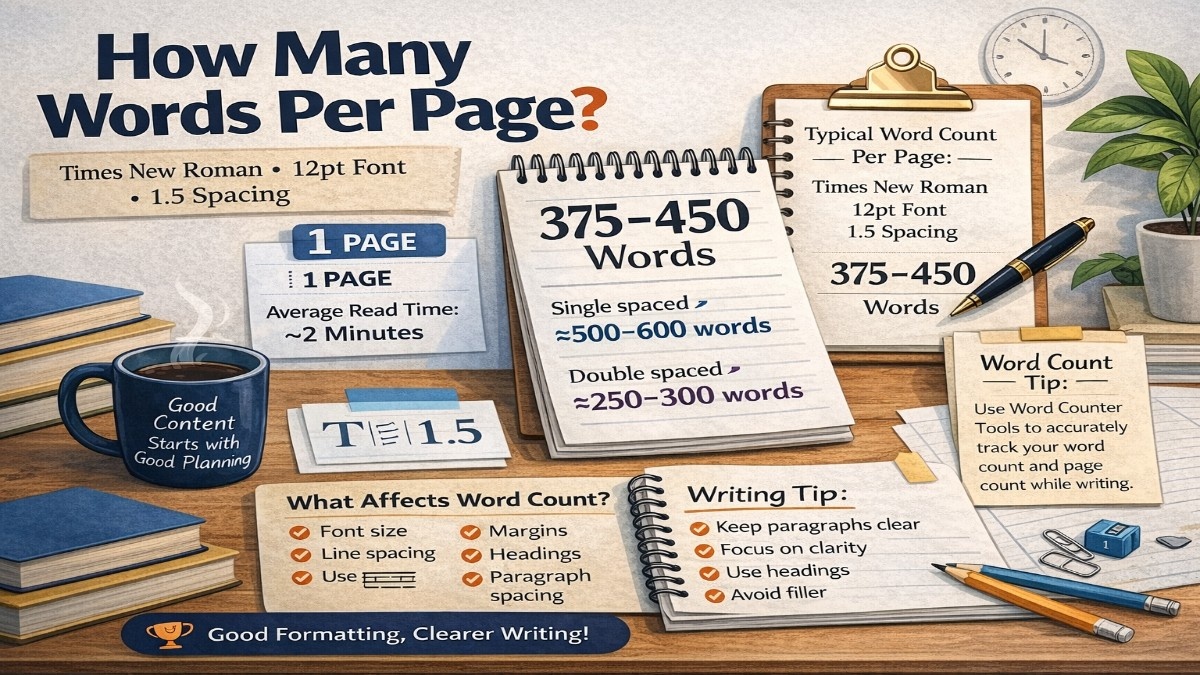
How Many Words Fit on One A4 Page?
With Times New Roman 12pt, 1.5 line spacing, and standard margins, one A4 page generally holds about 350–380 words.
| Formatting | Approx. Words Per Page |
|---|---|
| Times New Roman 12pt, Single Spacing | 450–500 |
| Times New Roman 12pt, 1.5 Spacing | 350–380 |
| Times New Roman 12pt, Double Spacing | 225–250 |
| Times New Roman 14pt, 1.5 Spacing | Lower than 350–380 |
Words Per A4 Page With 12pt and 1.5 Spacing
A4 is one of the most common page sizes for academic assignments and reports. When the document uses Times New Roman 12pt and 1.5 spacing, the practical estimate is approximately 350–380 wordsper page.
This estimate assumes standard margins and normal paragraph formatting. Large margins, extra paragraph spacing, headings, lists, or unusually long words can reduce the number of words that fit on a page.
How Many Words Are 1, 2, 3, 5, or 10 Pages?
Using an estimate of 350–380 words per page, these are useful page-to-word ranges:
| Pages | Approx. Word Count |
|---|---|
| 1 page | 350–380 words |
| 2 pages | 700–760 words |
| 3 pages | 1,050–1,140 words |
| 5 pages | 1,750–1,900 words |
| 10 pages | 3,500–3,800 words |
How Many Pages Is 1,000 Words With 1.5 Spacing?
A 1,000-word document using Times New Roman 12pt and 1.5 line spacing usually takes about 2.7–3 pages.
1.5 Spacing vs. Double Spacing
Line spacing has a direct effect on how many lines and words can fit on a page. Double spacing uses more vertical space, so the same document normally takes more pages.
1.5 Spacing
Approximately 350–380 words per page with Times New Roman 12pt.
Double Spacing
Approximately 225–250 words per page with Times New Roman 12pt.
Does Font Size Change Words Per Page?
Yes. Font size is one of the main factors affecting page length. Times New Roman 14pt takes more space than 12pt, so fewer words will fit on each page at the same line spacing and margins.
The same principle applies when comparing Times New Roman with wider fonts such as Arial. For accurate page estimates, keep the font, size, spacing, margins, and paper size consistent.
What Changes the Number of Words Per Page?
- Font: Times New Roman, Arial, or another typeface
- Font size: 11pt, 12pt, 14pt, etc.
- Line spacing: single, 1.5, or double
- Margins: wider margins reduce usable text space
- Paragraph spacing: extra spacing adds vertical space between paragraphs
- Page size: A4 and US Letter have different dimensions
Frequently Asked Questions
How many words fit on one A4 page with Times New Roman 12pt and 1.5 spacing?
A standard A4 page with Times New Roman 12pt, 1.5 line spacing, and standard margins usually contains about 350–380 words.
How many words are in 3 pages with Times New Roman 12pt and 1.5 spacing?
Three pages usually contain about 1,050–1,140 words with Times New Roman 12pt and 1.5 line spacing.
How many words fit on a page with Times New Roman 12pt and double spacing?
A standard page with Times New Roman 12pt and double spacing usually contains about 225–250 words.
Does Times New Roman 14pt reduce the number of words per page?
Yes. Increasing the font from 12pt to 14pt generally reduces the number of words that fit on a page because the text occupies more space.
How many pages is 1,000 words with Times New Roman 12pt and 1.5 spacing?
About 2.7–3 pages is a practical estimate for 1,000 words using Times New Roman 12pt, 1.5 spacing, and standard margins.
Conclusion
For Times New Roman 12pt with 1.5 spacing, a standard A4 page usually contains about 350–380 words. Use this as a practical estimate rather than an exact rule because formatting details can change the final page count.
When page count matters for an assignment or report, keep your font, margins, line spacing, and page size consistent and use an actual word count for the final document.
BLOG
How Many Words Per Page
by Raviraj Bhosale
Discover how many words fit on a page. Learn word counts for double spaced, single spaced, and handwritten pages with real examples.
BLOG
How Many Words Is 6000 Characters
by Raviraj Bhosale
Don't overlook the title and section headers when putting together your next writing assignment. Follow these pointers for keeping your writing organized and effective.
BLOG
How Many Words Fit on an A4 Page
by Raviraj Bhosale
An A4 page typically holds 400 to 500 words using standard formatting (12pt font, 1-inch margins, single spacing). For academic or double-spaced documents, this drops to roughly 250 words.